
|
ASRock C236WSI USB Problem |
Post Reply 
|
Page 12> |
| Author | |
hondaracer 
Newbie 
Joined: 22 Feb 2017 Status: Offline Points: 13 |
 Post Options Post Options
 Thanks(0) Thanks(0)
 Quote Reply Quote Reply
 Topic: ASRock C236WSI USB Problem Topic: ASRock C236WSI USB ProblemPosted: 22 Feb 2017 at 12:10am |
|
Ich habe folgendes Problem. meine USB Ports an dem Board schalten sich ab und lassen sich nicht mehr aufwecken. Darauf hin verliert die USV den Kontakt zum Rechner und ich bekomme immer fehler meldungen per email das meine USV nicht mehr erreichbar ist.
Kann man die einschlaf funktion der USB Ports abschalten im BOIS irgendwo. Ich finde da nichts drüber. Danke im vorraus. Gru? Swen
Edited by hondaracer - 22 Feb 2017 at 3:12am |
|
 |
|
|
J Z
Groupie 

Joined: 09 Sep 2016 Location: Germany Status: Offline Points: 976 |
Post Options
Thanks(0)
Quote Reply
Posted: 22 Feb 2017 at 3:42pm |
|
Kind Regards,
JZ https://shop.JZelectronic.de - Der Shop mit ausgesuchter ASRock Profi Hardware https://www.facebook.com/asrock.de |
|
|
|
|
wardog
Moderator Group 
Joined: 15 Jul 2015 Status: Offline Points: 6447 |
Post Options
Thanks(0)
Quote Reply
Posted: 22 Feb 2017 at 8:08pm |
|
Windows key + R > type in powercfg.cpl > select "Change plan settings" > select "Change advanced power settings" > USB settings > USB selective suspend > select Disabled > Apply > OK > immediately reboot.
You just told the OS not to sleep any USB ports. Edited by wardog - 22 Feb 2017 at 8:08pm |
|
|
|
|
hondaracer
Newbie
Joined: 22 Feb 2017 Status: Offline Points: 13 |
Post Options
Thanks(0)
Quote Reply
Posted: 22 Feb 2017 at 11:41pm |
|
Es ist egal was für ein betriebsystem. Habe jetz aus spass mal Win10 installiert dort passiert es auch.
Sobald er im Standby oder ich nichts mache längere Zeit funktioniert die abfrage zur USV nicht mehr über USB. Habe noch ein anderes Mainboard(ASROCK QC5000 ITX/PH) von ASrock und funktiert es einwandfrei. Habe auf diesem OMV2 Installiert(Debian Basis) Aber auf dem C236 WSI funktioniert dies nicht. Egal was für ein Betriebssystem ich drauf habe. Auf Linux basis verliert er einfach den Kontakt. Hier mal die auszug aus der LOG von Linux Feb 18 09:19:35 hondasafe upsmon[2498]: Startup successful Feb 18 09:19:35 hondasafe upsmon[2499]: Init SSL without certificate database Feb 18 09:19:35 hondasafe upsd[2495]: User monmaster@127.0.0.1 logged into UPS [ups] Feb 18 10:25:14 hondasafe upsd[2495]: Data for UPS [ups] is stale - check driver Feb 18 16:32:42 hondasafe upsmon[2499]: Poll UPS [ups@localhost] failed - Data stale Habe fast schon den Verdacht das was mit dem Board nicht stimmt. Weil solche Probleme bin ich nicht gewohnt von ASROCK und ich habe nur Boards von denen. Denn beim Z97Pro3 geht es auch einwandfrei. Ist zwar ein Sockel 1150 aber dort gehts. Der hängt sich sogar auf beim Testen der USV nachdem er im Standby oder längere Zeit nicht genutzt worden ist. Hilft nur ein reboot damit er alles wieder anzeigt korrekt. Und bei Windows 10 nutze ich die Original Software vom Hersteller. Ich habe das mit dem Oprion in der Energiemenagment mal gemacht mal schauen ob es was bringt. werde hier berichten.
Edited by hondaracer - 22 Feb 2017 at 11:43pm |
|
|
|
|
J Z
Groupie
Joined: 09 Sep 2016 Location: Germany Status: Offline Points: 976 |
Post Options
Thanks(0)
Quote Reply
Posted: 23 Feb 2017 at 4:10pm |
|
Okay, sag mal bescheid :)
|
|
|
Kind Regards,
JZ https://shop.JZelectronic.de - Der Shop mit ausgesuchter ASRock Profi Hardware https://www.facebook.com/asrock.de |
|
|
|
|
hondaracer
Newbie
Joined: 22 Feb 2017 Status: Offline Points: 13 |
Post Options
Thanks(0)
Quote Reply
Posted: 24 Feb 2017 at 9:02pm |
|
so nachdem ich nun ausgiebig getestet habe, unter win 10 muss die USB stromsparen zwingend abgeschaltet werden. Sonst funktioniert die Steuerung der USV nicht. Schade.
Unter Linux habe ich es nicht gefunden wo ich die Stromsparfunktion abstellen kann, damit die USB Ports nicht abgeschaltet werden. Wenn ich das vorher gewusst hätte wäre es ein anderes Board geworden. Zur Info zum jetzigen System: ASROCK C236WSI mit Xeon E3 1245V5 32 Gb ECC Kingston ram(2x16GB module) 1 Samsung EVO 850 250 GB System 6x 4TB WD Red im raid 5 Verband 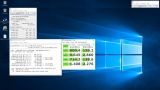 BS: Win10Pro
|
|
|
|
|
J Z
Groupie
Joined: 09 Sep 2016 Location: Germany Status: Offline Points: 976 |
Post Options
Thanks(0)
Quote Reply
Posted: 25 Feb 2017 at 4:33pm |
|
Kind Regards,
JZ https://shop.JZelectronic.de - Der Shop mit ausgesuchter ASRock Profi Hardware https://www.facebook.com/asrock.de |
|
|
|
|
hondaracer
Newbie
Joined: 22 Feb 2017 Status: Offline Points: 13 |
Post Options
Thanks(0)
Quote Reply
Posted: 26 Feb 2017 at 2:45am |
|
was hat das mit der Maus zu tun. der USB Port schaltet sich unter Linux(OMV3) ab, und kann sich anscheinen nicht selbst reaktivieren. Da ja von der USV selber ja kein Impuls kommt wie von der Maus das er wieder aus dem Sleep kommt. bin jetzt die ganze Zeit auf der Suche wie ich das beheben kann unter dem anderen Board (ASROCK QC5000-ITX/PH) funktioniert das einwandfrei mit der USV nur bei dem neuen Board nicht. Unter Win10 habe ich es hinbekommen. Indem ich einfach in der Energie option USB energie Sparen abgeschaltet habe.(Weil sonst hat er auch nicht die Aktuellen daten anch einiger Zeit angezeigt und hat dann auch nicht mitbekommen das zb die USV auf Batterie läuft. erst als ich die Energiesparfunktion für USB abgeschaltet habe.
Edited by hondaracer - 26 Feb 2017 at 2:47am |
|
|
|
|
wardog
Moderator Group
Joined: 15 Jul 2015 Status: Offline Points: 6447 |
Post Options
Thanks(0)
Quote Reply
Posted: 26 Feb 2017 at 11:41am |
|
I'm thinking this a question that needs asked/addressed by the OpenMediaVault devs.
"USB selective suspend" has been in most kernels from way way back. If the OMV devs haven't included it you can compile your own anyways I guess. |
|
|
|
|
hondaracer
Newbie
Joined: 22 Feb 2017 Status: Offline Points: 13 |
Post Options
Thanks(0)
Quote Reply
Posted: 27 Feb 2017 at 6:12pm |
|
Problem wurde gelöst, danke für die Hilfe
|
|
|
|
|
Post Reply
|
Page 12> |
 Tweet
Tweet
|
| Forum Jump | Forum Permissions You cannot post new topics in this forum You cannot reply to topics in this forum You cannot delete your posts in this forum You cannot edit your posts in this forum You cannot create polls in this forum You cannot vote in polls in this forum |


 Topic Options