
|
X870E Nova D4 on restart/cold boot |
Post Reply 
|
Page <1 234 |
| Author | |
dom0xDee4 
Groupie 

Joined: 23 Apr 2026 Location: Croatia Status: Offline Points: 315 |
 Post Options Post Options
 Thanks(0) Thanks(0)
 Quote Reply Quote Reply
 Posted: 14 May 2026 at 7:40pm Posted: 14 May 2026 at 7:40pm |
|
Hello,
i have much more info - but without the noise - doing alot of structured testing since Monday. In the meantime, i wonder about Memory QVL list how to read it. For example, green line here shows "Dimm socket support" "2": 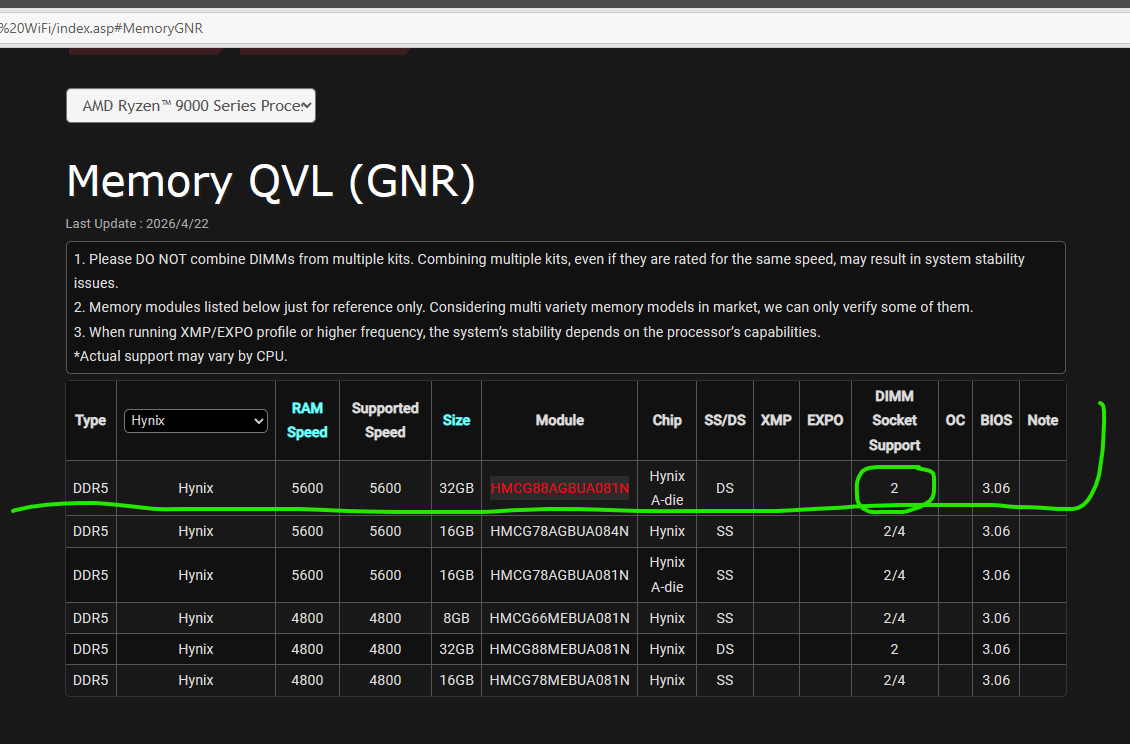 Would this mean two such modules would not work, aka one in socket 2, another in socket 4? Or is this just result of such dimm being tested only in socket 2? |
|
 |
|
|
Xaltar
Moderator Group 

Joined: 16 May 2015 Location: Europe Status: Offline Points: 38663 |
Post Options
Thanks(1)
Quote Reply
Posted: 14 May 2026 at 8:08pm |
|
It means verified with 2 modules, 2/4 means verified with 2 and 4 modules

|
|

|
|
|
|
|
dom0xDee4
Groupie
Joined: 23 Apr 2026 Location: Croatia Status: Offline Points: 315 |
Post Options
Thanks(0)
Quote Reply
Posted: 11 hours 39 minutes ago at 7:46pm |
|
Hello, i have a summary of the tests done so far, with configuration, very detailed notes on actual BIOS settings - tracked via custom bitfield - i am working on a document which sums that all up, so it's clear and relatively easy to go over - won't post another before i wrap that.
In the meantime, i have to correct a mistake - Kingston kit i have is NOT on QVL list. Still, as you will see later, that didn't matter much. I have bought kit of 2 DIMM's, which i asked about in previous message. It is Sk Hynix kit "greenies" if you will - and lo and behold, Reset CMOS, unplug the thing, remove Kingston, install Hynix - all default settings - same story as with Kingston - fairly long training followed by 4D. Press Reset button - booted to Windows (just a small hint before i post complete writeup - this was always the case, Reset button to the Rescue :) ) I can't draw conclusions, but system throws intermittent 4d error - and anything i did related to power and some sort of timeout made it occur sporadically at best. When it showed up on debug screen - it would be mitigated by Reset button. Once up and running, memory speed, timing and voltage becomes irrelevant - i've ran many hours of stress tests, large file copy operations (internal drives / USB), nothing really crashed it (memory at 4800, 5600 or even 6000 fwiw...). Anyway, one more thing i have not tested is removing Gen5 (Windows boot) drive which is on CPU gen5 interface and using Chipset m2 slots, testing both with my Gen5 drive and other drive. Finally, i'll most likely get another mainboard - i have been pondering of getting another CPU, but in order to keep test conditions somewhat similar and not introduce another variable - i can't go for cheap 8xxx or lower-tier 7xxx CPU - it would have to really be 12 or 16 core, ideally Zen5 too, which is much more expensive then getting a mainboard, which i can get on much lower budget. Yes, i am mad enough to drive this all the way to finish line :D Small pic, not too relevant but for the record: Kingston kit i hold in my hand (in box, not original), SK Hynix greenies installed in background, and an ol' buddy on debug screen: 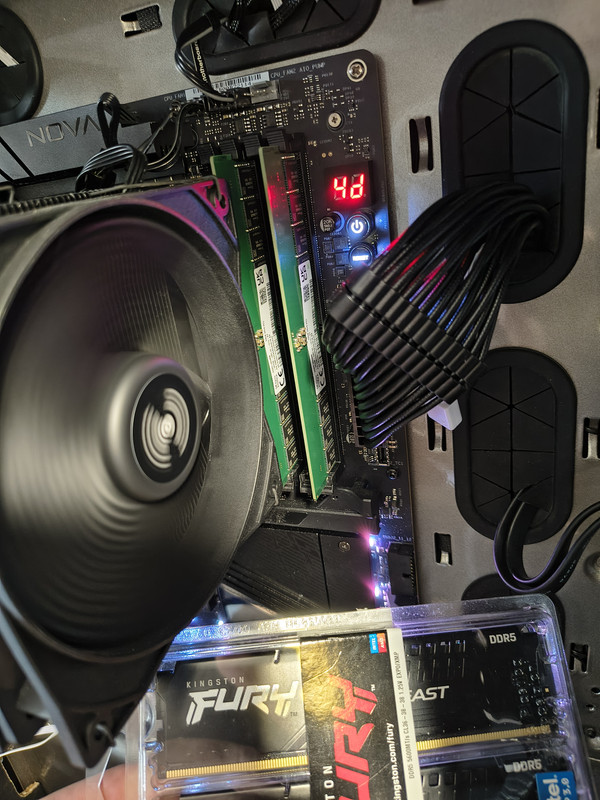
|
|
|
|
|
Xaltar
Moderator Group
Joined: 16 May 2015 Location: Europe Status: Offline Points: 38663 |
Post Options
Thanks(0)
Quote Reply
Posted: 8 hours 26 minutes ago at 10:59pm |
|
Looking forward to reading through your findings. Thanks for taking the time to
do this, it has been quite the journey
|
|
|
|
|
|
|
|
Post Reply
|
Page <1 234 |
 Tweet
Tweet
|
| Forum Jump | Forum Permissions You cannot post new topics in this forum You cannot reply to topics in this forum You cannot delete your posts in this forum You cannot edit your posts in this forum You cannot create polls in this forum You cannot vote in polls in this forum |


 Topic Options